>P-70 Ultra Common Commands<

Note

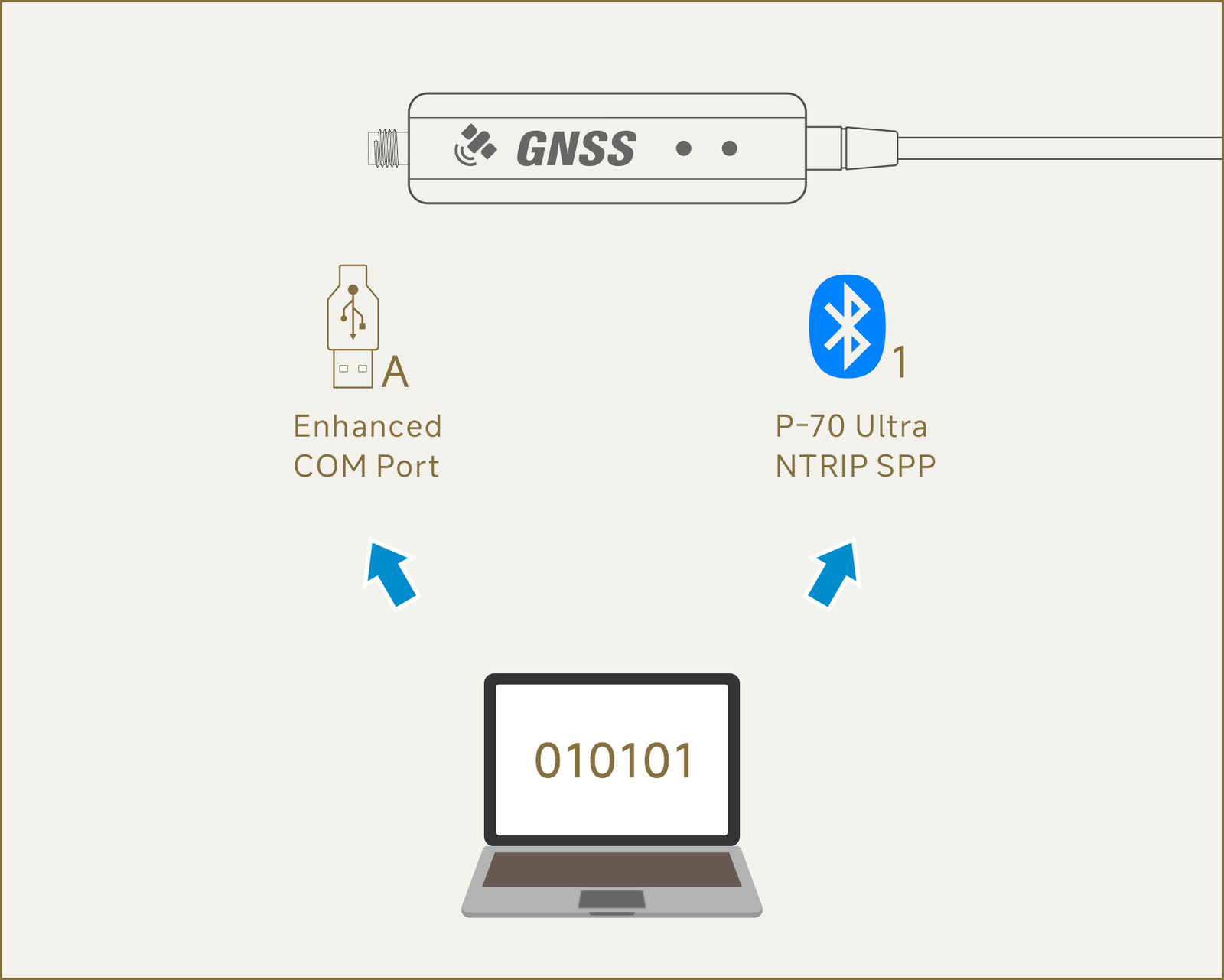
When connecting the host via a wired connection, you must select "USB Wired Channel A".
The device will appear as "Silicon Labs Dual CP2105 USB to UART Bridge: Enhanced COM Port" on Windows, or "/dev/ttyUSB0" on Linux.

When connecting the host via a wireless connection, you must select "Wireless Channel 1".
The device name is "P-70 Ultra NTRIP" when using SPP mode, or "P-70 Ultra NTRIP BLE" when using BLE mode.

Orange commands: Send in HEX format

Blue commands: Send in ASCII format. If the receiver successfully receives and recognizes the command, it responds with "$OK". Otherwise, it responds with "$FAIL".

Commands should be sent using the receiver's current UART baud rate. The factory default baud rate is 230,400 bps.

Rover Mode (1Hz)

42 4B AC 06 26 02 00 0C 55 55 00 01 00 00 00 03 00 00 00 01 42 4B 25 00 26 02 00 0C 55 55 00 01 00 00 00 07 00 00 00 01 42 4B 99 5A 26 02 00 0C 55 55 00 01 00 00 00 0C 00 00 00 04 42 4B 73 8F 26 02 00 0C 55 55 00 01 00 00 00 0D 00 00 00 00 42 4B F4 4A 26 02 00 0C 55 55 00 01 00 00 00 31 00 00 00 00 42 4B C9 D8 26 02 00 0C 55 55 00 01 00 00 00 0E 00 00 00 27

Rover Mode (5Hz)

42 4B EC 82 26 02 00 0C 55 55 00 01 00 00 00 03 00 00 00 05 42 4B 65 84 26 02 00 0C 55 55 00 01 00 00 00 07 00 00 00 05 42 4B 99 5A 26 02 00 0C 55 55 00 01 00 00 00 0C 00 00 00 04 42 4B 73 8F 26 02 00 0C 55 55 00 01 00 00 00 0D 00 00 00 00 42 4B F4 4A 26 02 00 0C 55 55 00 01 00 00 00 31 00 00 00 00 42 4B C9 D8 26 02 00 0C 55 55 00 01 00 00 00 0E 00 00 00 27

Rover Mode (10Hz)

42 4B 1D 6D 26 02 00 0C 55 55 00 01 00 00 00 03 00 00 00 0A 42 4B 94 6B 26 02 00 0C 55 55 00 01 00 00 00 07 00 00 00 0A 42 4B 99 5A 26 02 00 0C 55 55 00 01 00 00 00 0C 00 00 00 04 42 4B 73 8F 26 02 00 0C 55 55 00 01 00 00 00 0D 00 00 00 00 42 4B F4 4A 26 02 00 0C 55 55 00 01 00 00 00 31 00 00 00 00 42 4B C9 D8 26 02 00 0C 55 55 00 01 00 00 00 0E 00 00 00 27

Rover Mode (20Hz)

42 4B EE 92 26 02 00 0C 55 55 00 01 00 00 00 03 00 00 00 14 42 4B 67 94 26 02 00 0C 55 55 00 01 00 00 00 07 00 00 00 14 42 4B 99 5A 26 02 00 0C 55 55 00 01 00 00 00 0C 00 00 00 04 42 4B 73 8F 26 02 00 0C 55 55 00 01 00 00 00 0D 00 00 00 00 42 4B F4 4A 26 02 00 0C 55 55 00 01 00 00 00 31 00 00 00 00 42 4B C9 D8 26 02 00 0C 55 55 00 01 00 00 00 0E 00 00 00 27

BASE Mode (Enable RTCM3 MSM4 Messages)

42 4B AC 06 26 02 00 0C 55 55 00 01 00 00 00 03 00 00 00 01 42 4B 25 00 26 02 00 0C 55 55 00 01 00 00 00 07 00 00 00 01 42 4B 99 5A 26 02 00 0C 55 55 00 01 00 00 00 0C 00 00 00 04 42 4B B2 03 26 02 00 0C 55 55 00 01 00 00 00 0D 00 00 00 0C 42 4B C4 29 26 02 00 0C 55 55 00 01 00 00 00 31 00 00 00 03 42 4B 46 8E 26 02 00 0C 55 55 00 01 00 00 00 10 00 00 00 01 42 4B A9 1E 26 02 00 0C 55 55 00 01 00 00 00 0E 00 00 00 21

BASE Mode (Enable RTCM3 MSM7 Messages)

42 4B AC 06 26 02 00 0C 55 55 00 01 00 00 00 03 00 00 00 01 42 4B 25 00 26 02 00 0C 55 55 00 01 00 00 00 07 00 00 00 01 42 4B 99 5A 26 02 00 0C 55 55 00 01 00 00 00 0C 00 00 00 04 42 4B B2 03 26 02 00 0C 55 55 00 01 00 00 00 0D 00 00 00 0C 42 4B C4 29 26 02 00 0C 55 55 00 01 00 00 00 31 00 00 00 03 42 4B 56 AF 26 02 00 0C 55 55 00 01 00 00 00 10 00 00 00 00 42 4B A9 1E 26 02 00 0C 55 55 00 01 00 00 00 0E 00 00 00 21

Configure Base Station Coordinates and Altitude

Set:

$POLCFGBASE,30.064146,106.228056,21.15

Format:
$POLCFGBASE,<Latitude>,<Longitude>,<Altitude>

Note:
Positive latitude values indicate the Northern Hemisphere; negative values indicate the Southern Hemisphere.
Positive longitude values indicate the Eastern Hemisphere; negative values indicate the Western Hemisphere.
Positive altitude values indicate elevations above sea level; negative values indicate elevations below sea level.

Clear the configuration:

$POLCFGBASE,0,0,0

Receiver Reset

Hot Start:

$POLCFGRESET,0

42 4b 0c 4a 02 05 00 08 00 00 00 01 00 00 00 00

Cold Start:

$POLCFGRESET,1

42 4b 1c 6b 02 05 00 08 00 00 00 01 00 00 00 01

Save Current Configuration

$POLCFGSAVE

42 4B CC 17 26 04 00 00

Description: Saves the current configuration to the receiver's internal Flash memory so that the settings are retained after power-off.

Note: If the current configuration does not need to be retained after power-off, this command is not required.


กก